 Sample Scout
Features & Workflow
Six tools. One keyboard-driven workspace. From browsing your library to exporting finished samples.
macOS · Windows · Linux
One-time purchase. Lifetime license.
3 activations.
01Browse at speed
A unique keyboard focused workflow and autoplay keep you in the flow auditioning files one after another. Playback from any source is instant with a unique preload system that's light on memory.
The keyboard is for speed
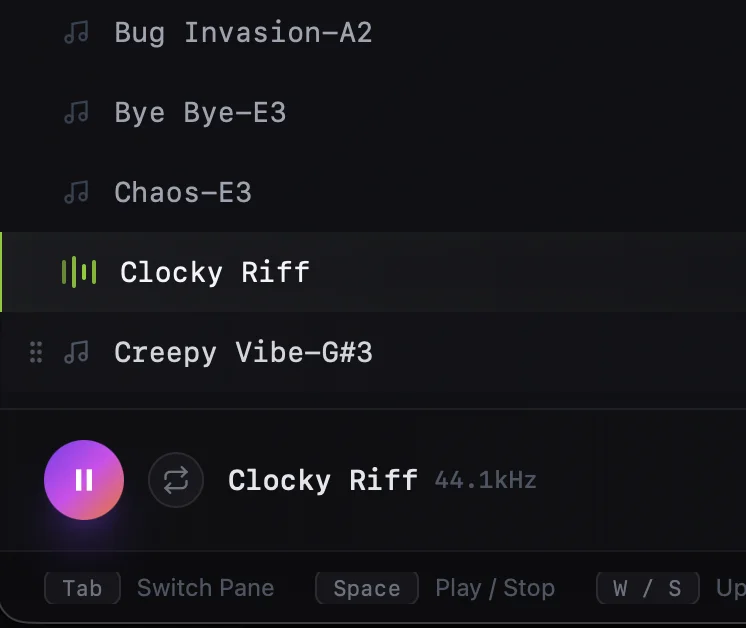
Use WASD to navigate folders and files and step in and out of directories. Turn on autoplay and every move plays the next file instantly. Your hands stay on the keyboard and your ears stay in the flow.
Filter & Search
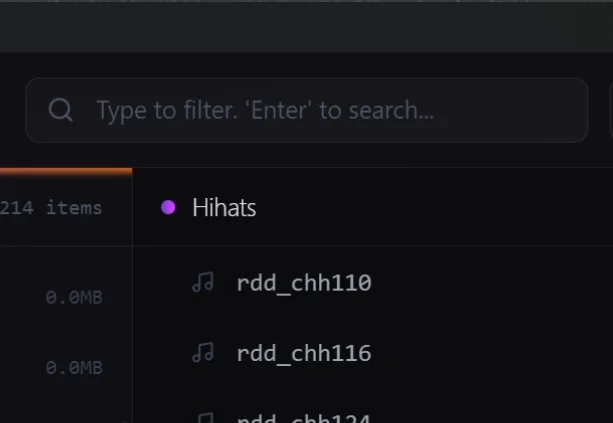
Filter the current view in real time or hit 'enter' to search across your entire library. Narrow thousands of files down to exactly what you're after.
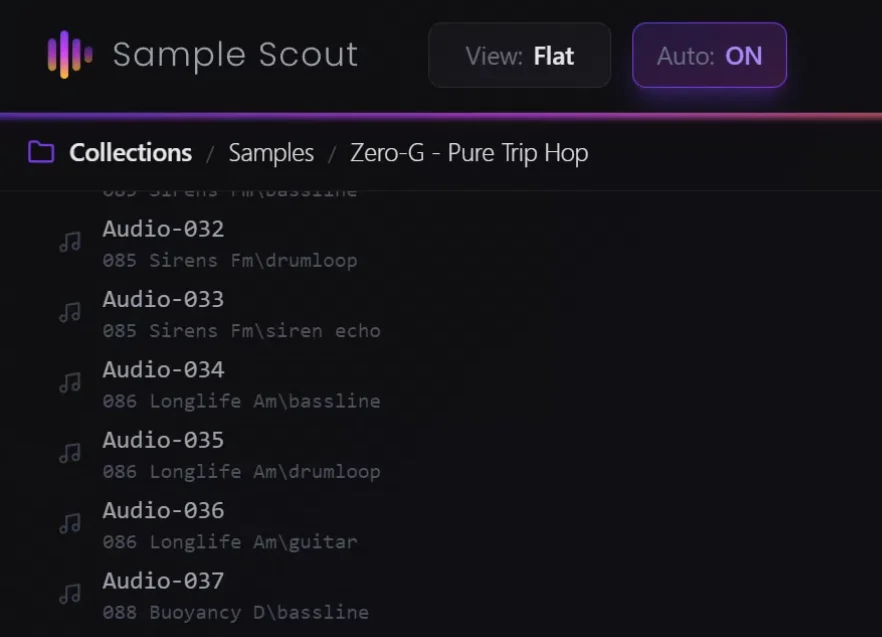
Make poor folder structure a non-issue.
Press V to toggle between folder view and flat view. Folder view preserves your library's directory structure. Flat view shows every file in all folders below your current path in one continuous list, perfect for rapid auditioning across nested folders.
02Keep what you find
Build sets of sounds as you find them. With autoplay on, every arrow key press plays the next sample. Hear something you want? Press E to add it to your active set and keep going. Press Shift+E to quick-add to a different set — save a quick idea without switching contexts.
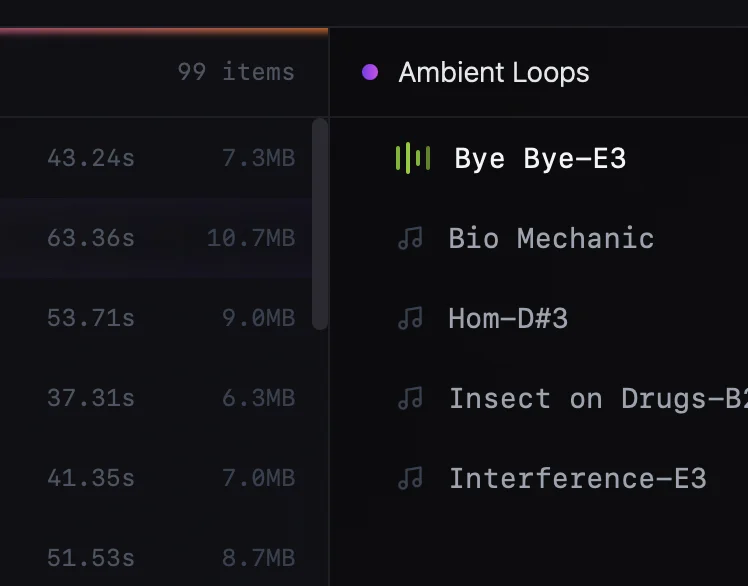
Two-pane set building
The right pane is your Active Set — samples are added here as you mark them. Use sets to collect sounds for a project, a device, or an idea. 'N' creates a new set and 'Q' let's you quickly switch between them. Sets keep your selections organized without needing to move or copy any files.
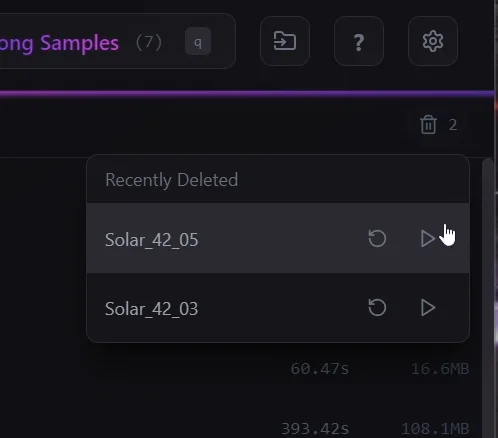
Built-in history
Removed something you shouldn't have? The history keeps track of everything you've taken out of a set, and you can play items back directly from the history list before deciding to restore them.
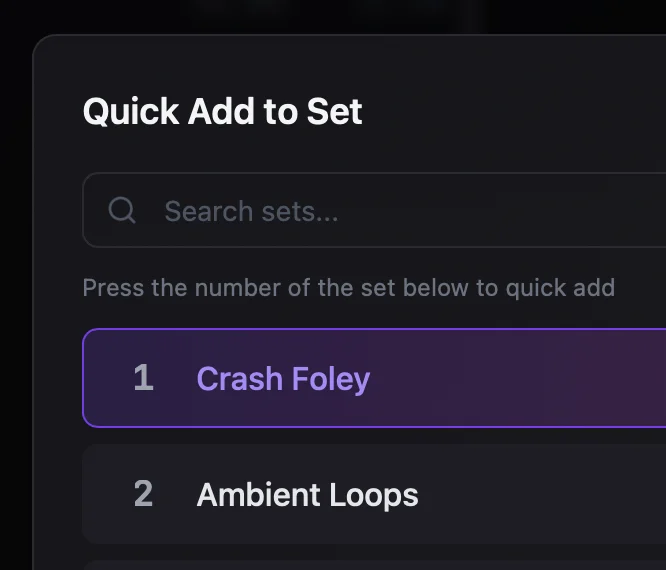
Quick-add to any set
Press Shift+E to add a sample to a different set without switching your active one. Save a quick idea or earmark a sound for another project — no context switching required.
03Clip and fade
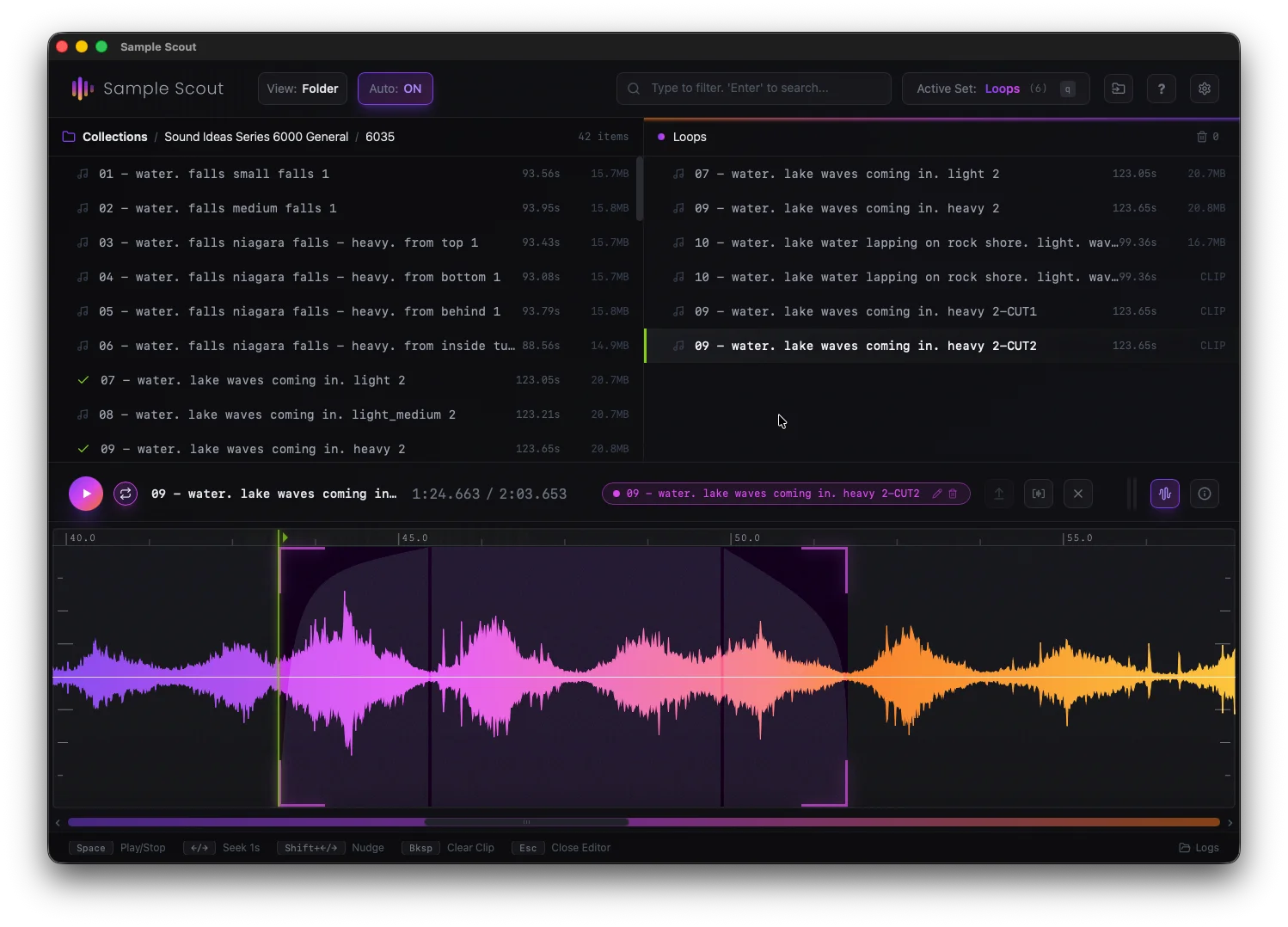
The mouse is for precision. Click and drag to quickly clip out choice sections and shape fades with ease. No external editor required. Clips are pure metadata and only get printed when you export. No wasted space.
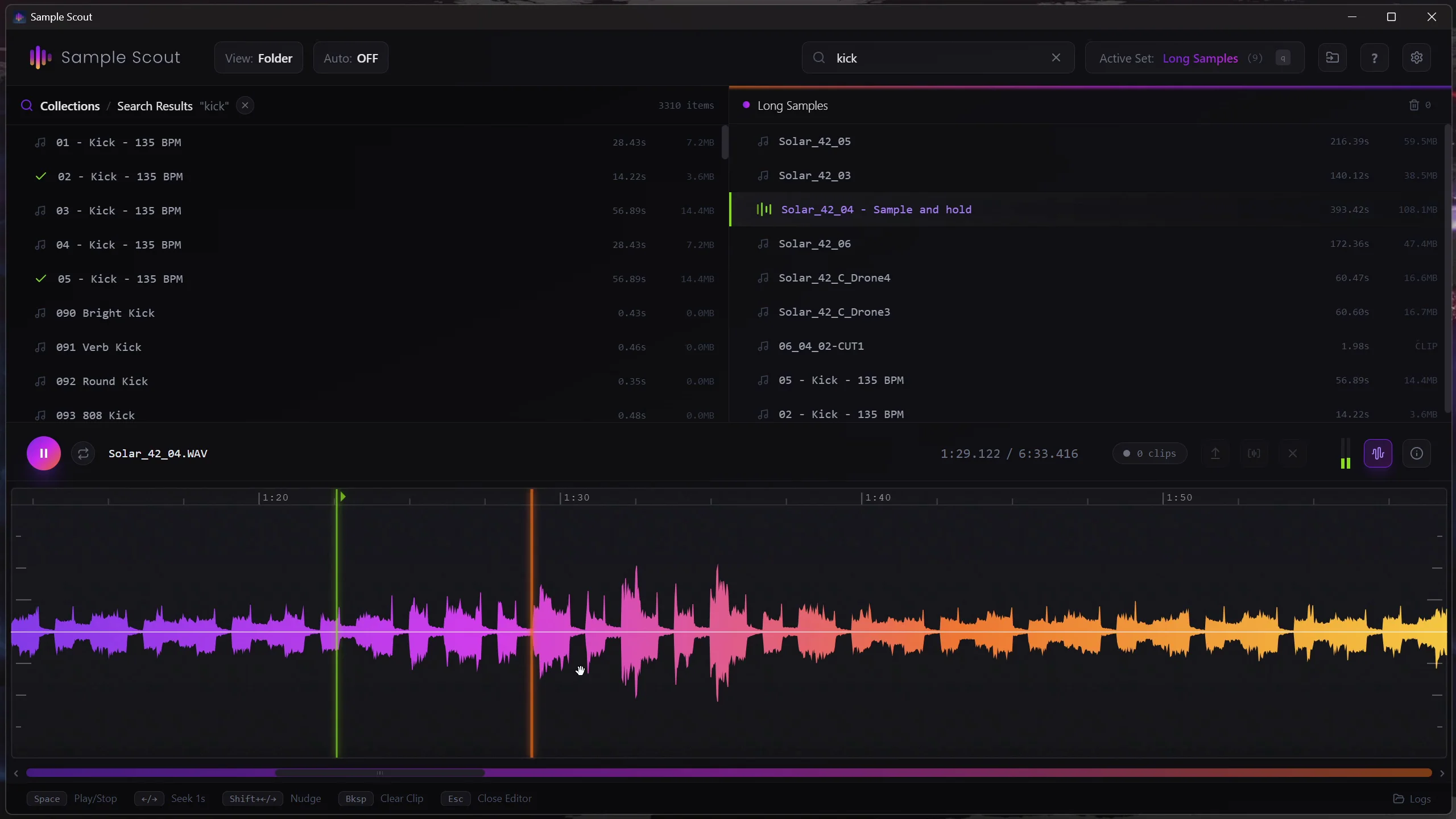
A simple built-in editor
Press C to open the editor. Create a clip region by clicking and dragging on the top half of the waveform. Cut out choice material from longer samples. Zoom and pan in one motion by clicking and dragging on the bottom half of the waveform.
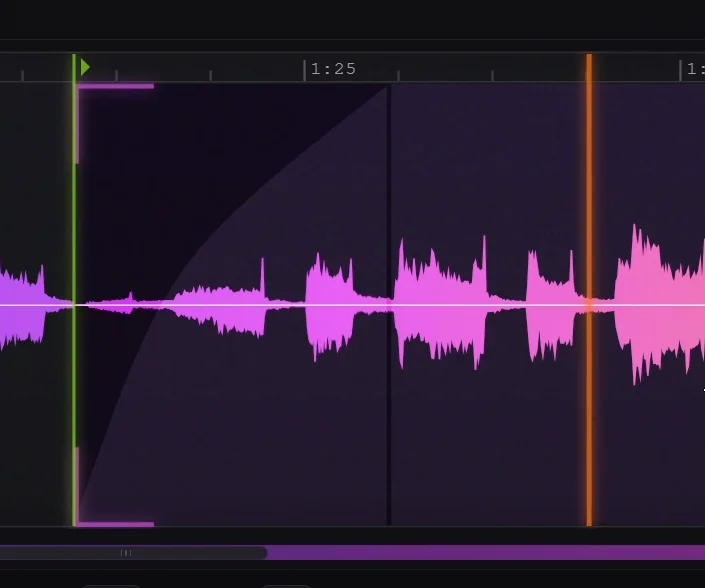
Drag to fade
Grab the fade handle at either edge of your clip and drag it out to set the fade length. Grab the curve line to reshape from linear to exponential or anything in between. Preview results immediately — what you hear is what you get at export.
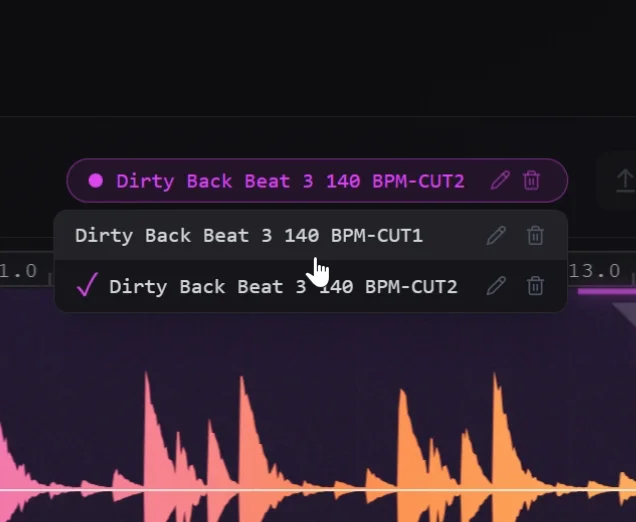
A complete history of work
The clip badge shows all your previous clips of a sample at a glance, so you never duplicate work. Dial in your selection and hit the update clip button to save your changes.
04Export it
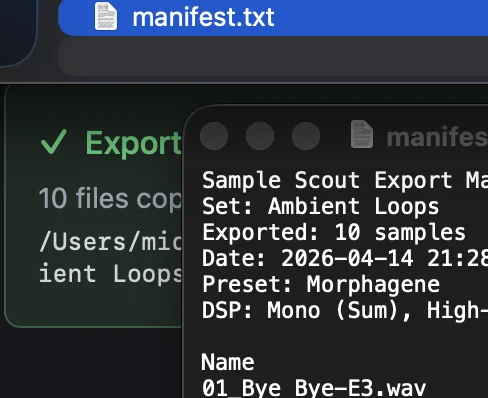
A high quality processing chain has everything you need to export to precisely what your hardware or project requires. Optional mono, normalization, and filters. Choose your format. Save your preset. One click renders everything.
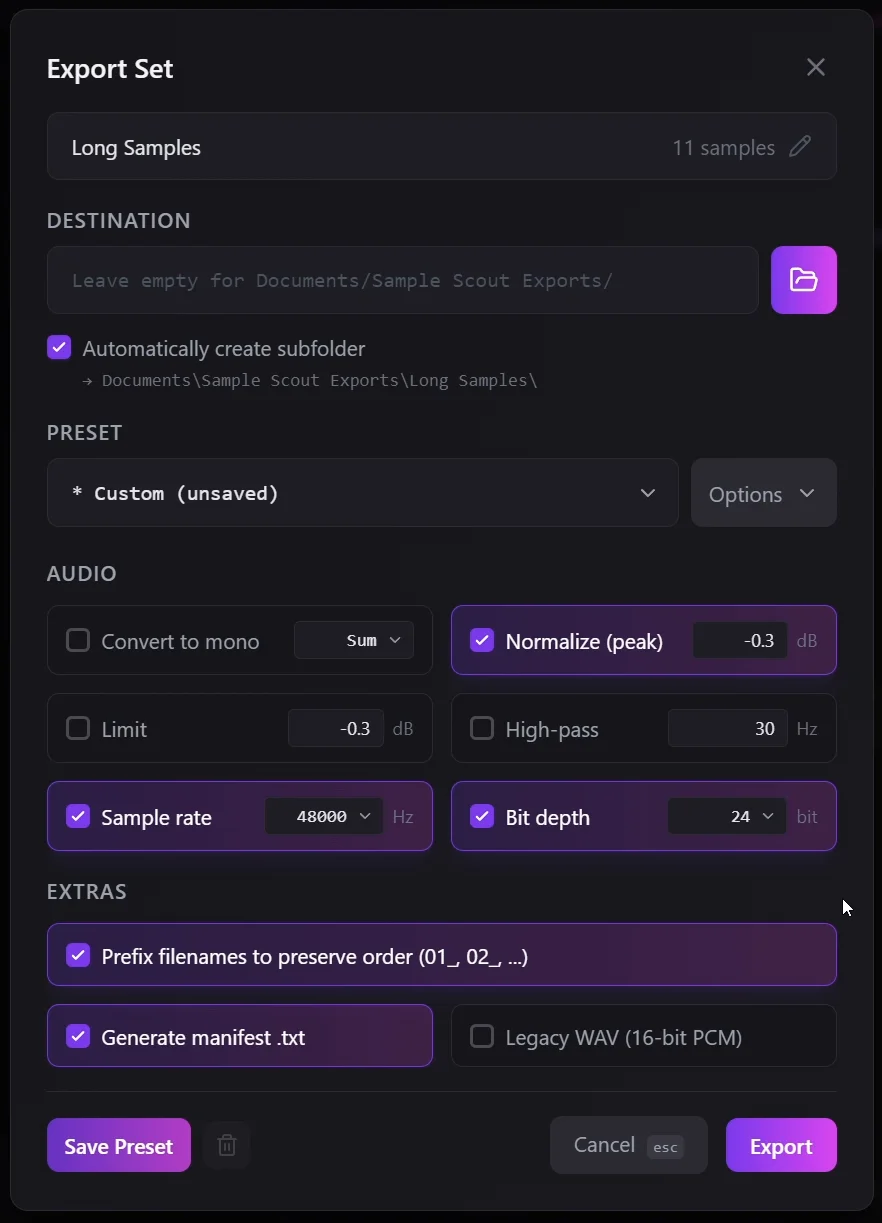
Export options
Press 'X' to open the export panel - convert to mono, normalize peak levels, apply limiting, add a high-pass filter, and set your target sample rate and bit depth. Simply turn on what you need and turn off what you don't.
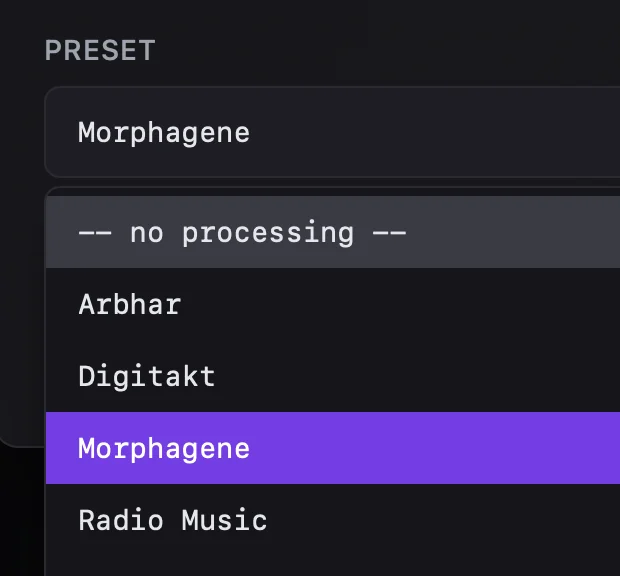
Presets
Save your export configuration as a preset and recall it with one click. Switching from preparing TR-8S samples to Octatrack samples is instant — no re-entering settings every time.
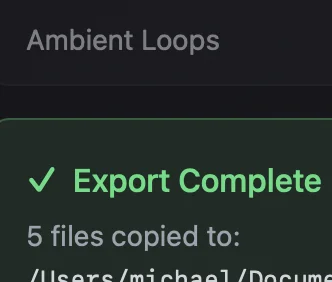
Batch export
Export your entire set in one go. Every sample is processed through your chosen settings and written out — no need to handle files one at a time.
05Use it
Whether you jam purely in hardware or produce purely in the box, Sample Scout works with your tools. Direct drag out to all major DAWs and applications. Clips are exported instantly on demand for you to use wherever.
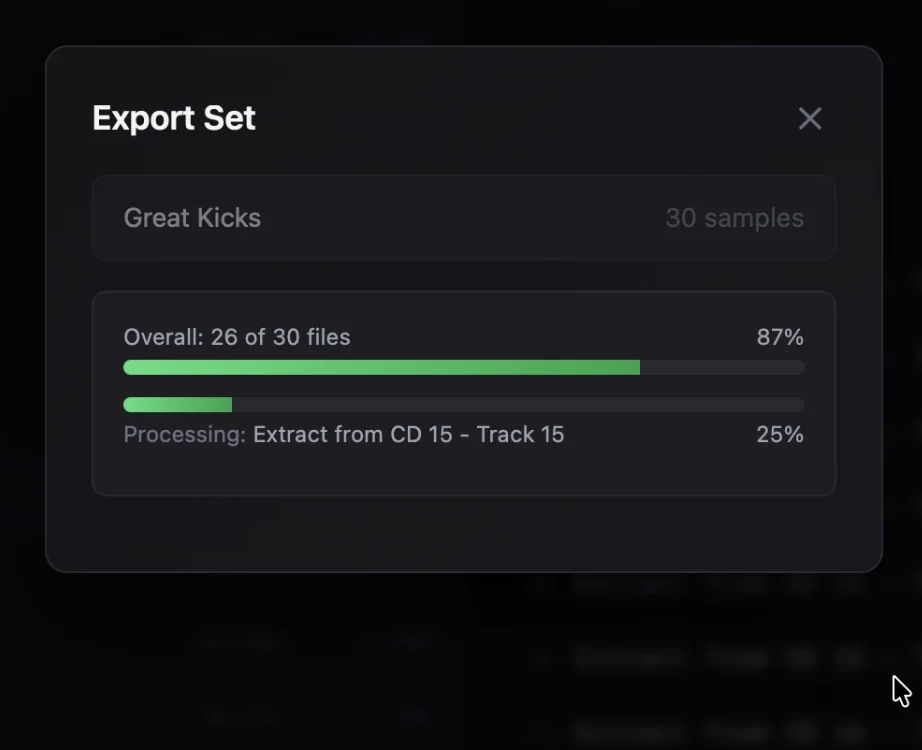
Clips exported on demand
Clips are rendered instantly the moment you need them — drag one out or export a batch and the audio is processed on the fly. No pre-rendering step, no wasted disk space.
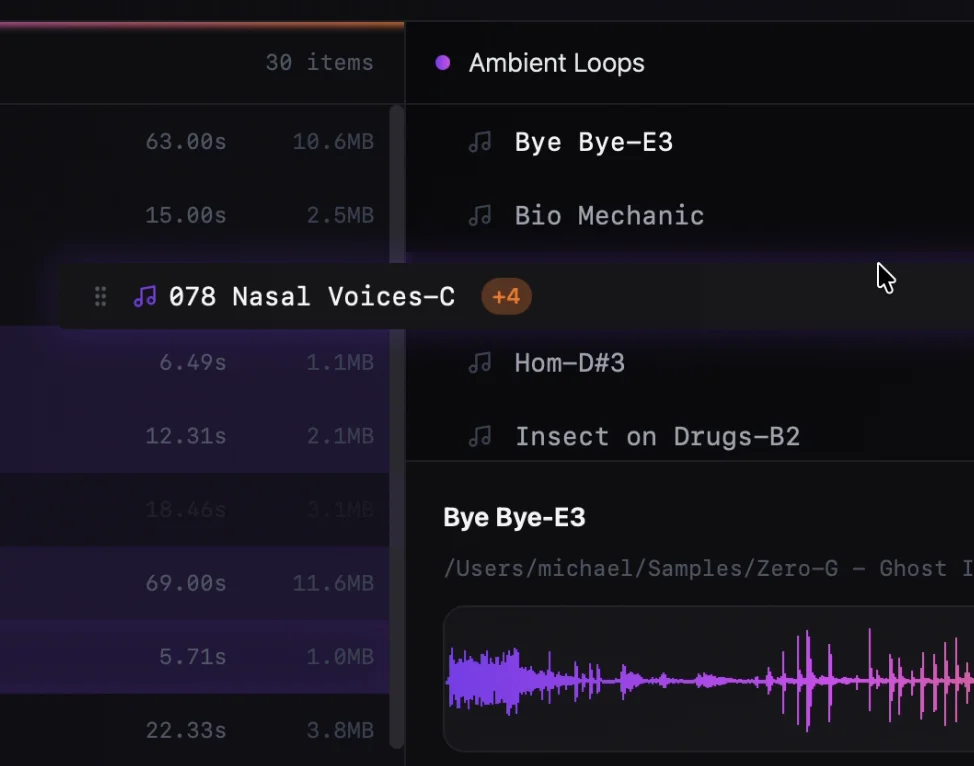
Drag and drop with custom names
Drag samples directly from Sample Scout into your DAW or any application that accepts audio files. Any custom names you've set in your set carry through, so what lands in your project is already labeled the way you want it.
Works with your gear
Preparing samples for hardware samplers, drum machines, or groove boxes? Export settings and presets let you target exactly the format your device expects.
06As much info as you need
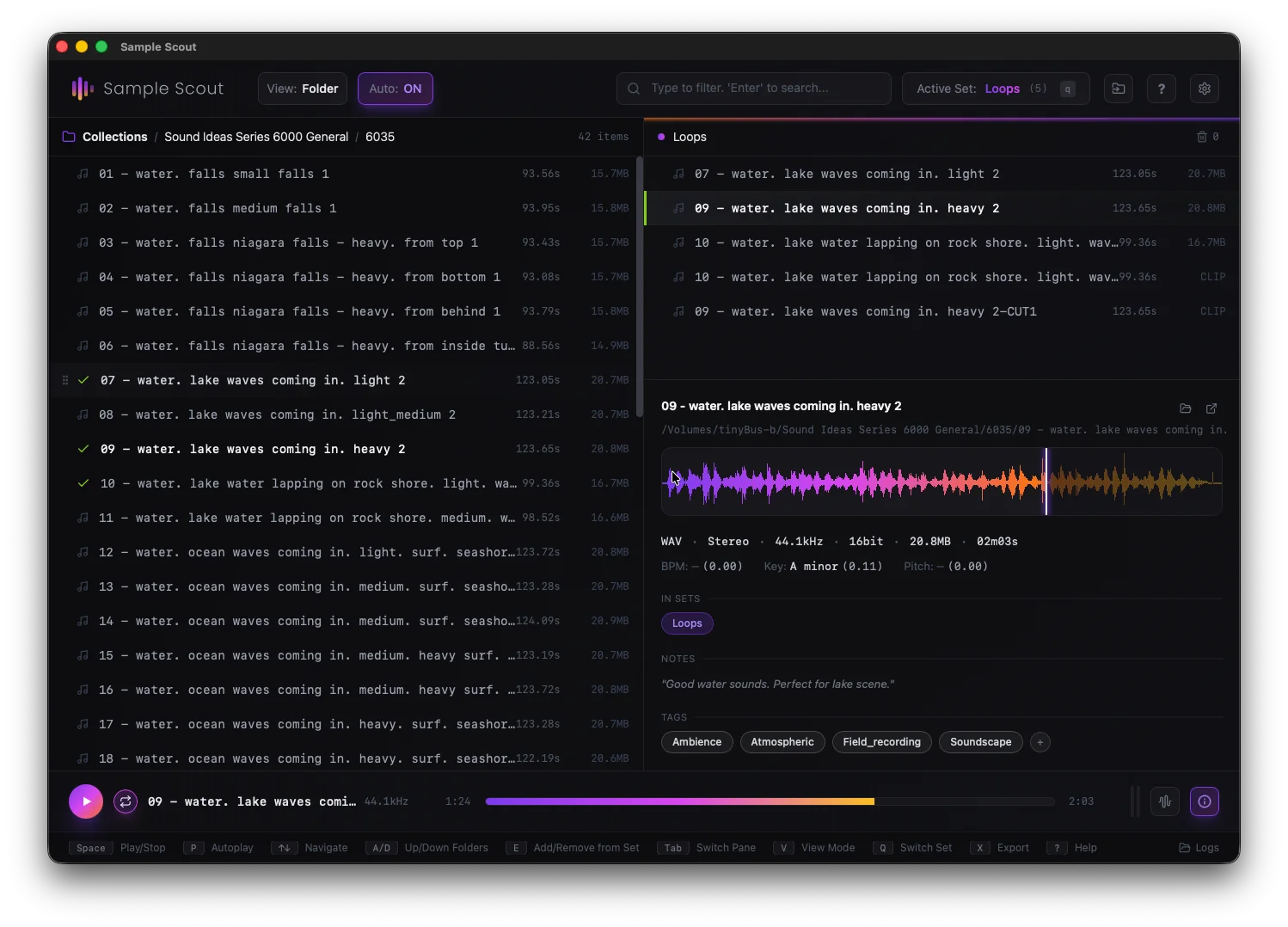
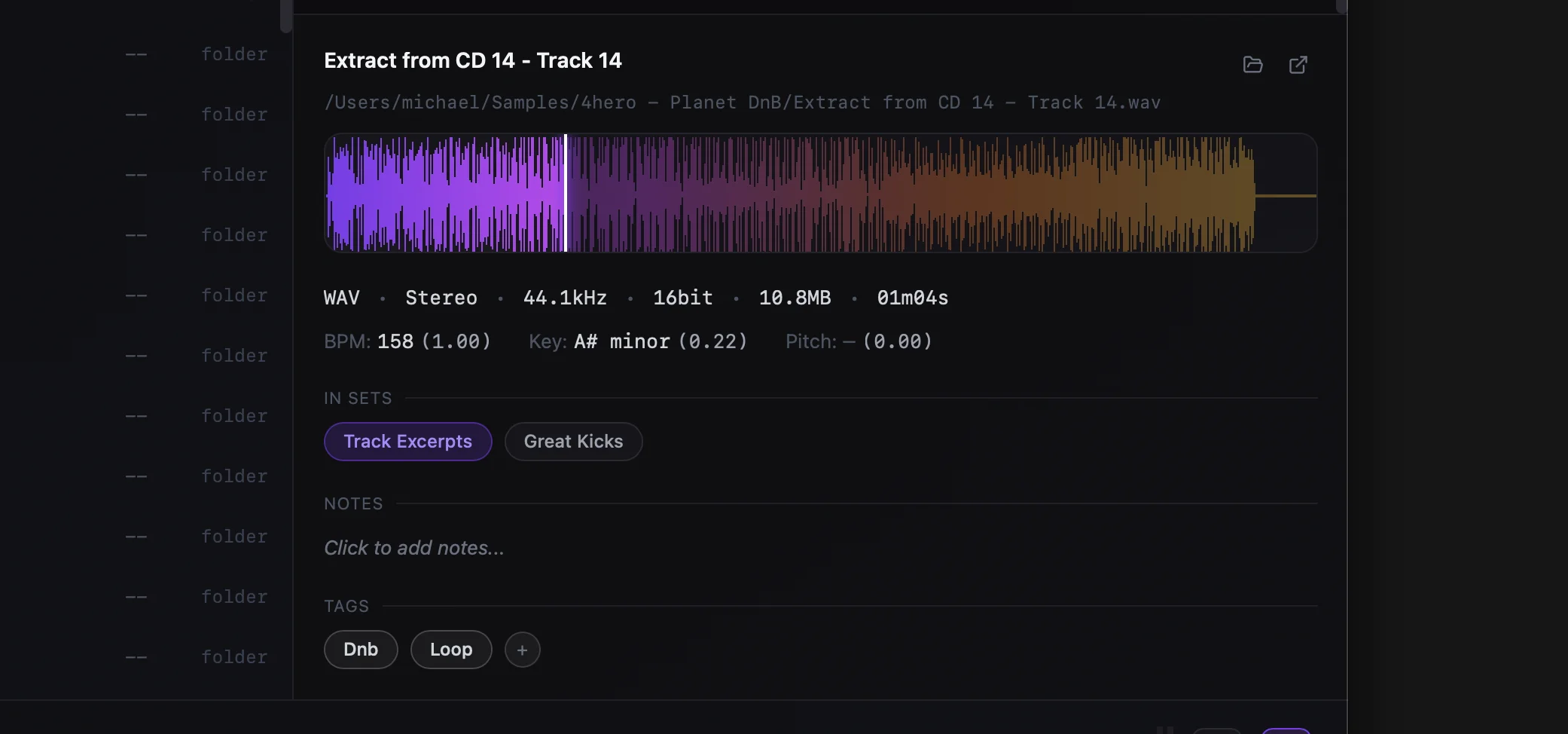
Everything you need to know about a sample, right where you need it. File details, BPM, key, pitch, tags, and set membership — all in one pane. Sample Scout includes high quality BPM, key, and pitch detection. Add custom tags or notes.
Shortcuts anytime
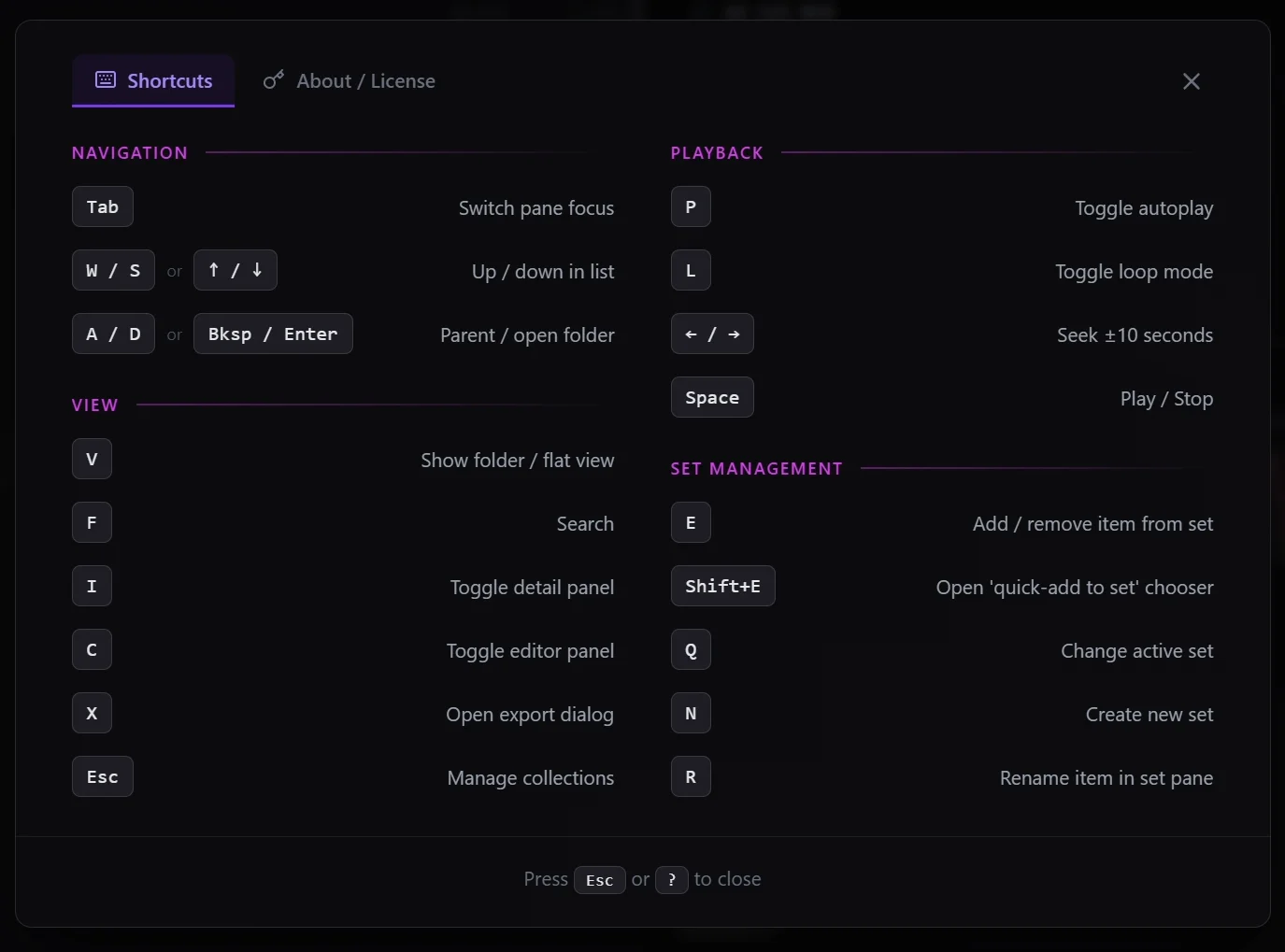
Press ? from anywhere in the app to see every available keyboard shortcut for your current context. No need to memorize anything upfront — the shortcuts reference is always one keypress away.
Tags & notes
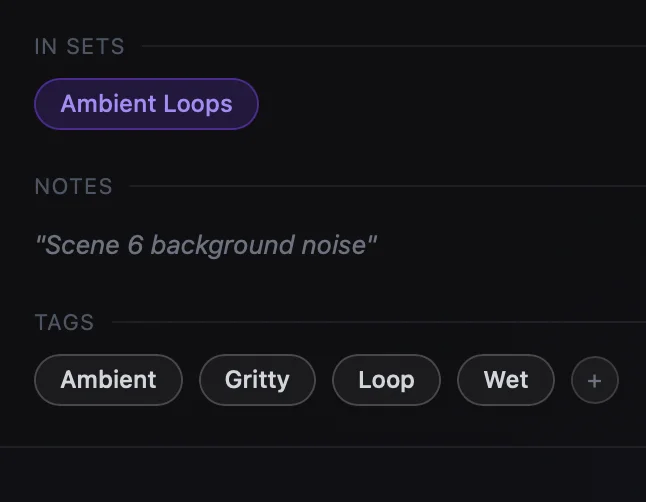
Add custom tags or notes to any sample. Build your own taxonomy on top of whatever folder structure you already have — without moving a single file.
Automatic detection
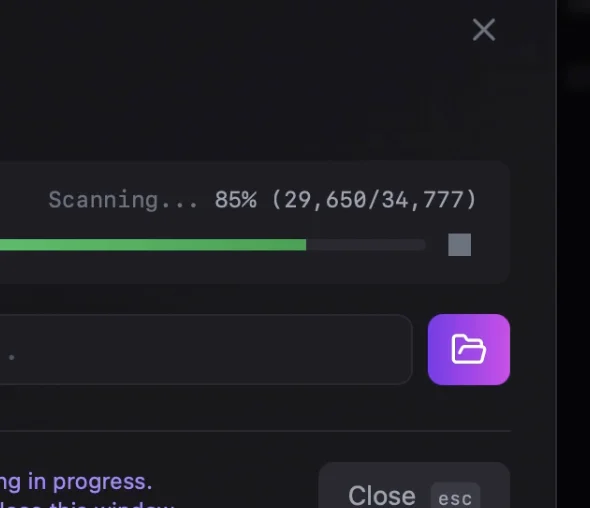
BPM, musical key, and pitch are detected automatically. No manual entry, no guesswork — the information is there when you need it.
One app. One workflow.
From your library to your project.
macOS · Windows · Linux
or try free